Компаниямда үш банк шоты, екі ел, төрт валюта. Бірінші жыл бәрі Google-кестеде болды. Бір адам оны қолмен толтырып отырды. Кейде ұмытып кететін. Кейде сандар сәйкес келмейтін. Кейде мен «өткен айда маркетингке қанша жұмсадық?» деп сұрайтынмын — жауап жиырма минуттан кейін келетін.
Мен кестені толыққанды қаржы жүйесіне ауыстырдым — дэшборд, Telegram-бот, автоматты есептер, AI-талдаушы — бір демалыс күнінде. Мен бағдарламалауды білмеймін.
Кесте мәселесі
Кез келген шағын компания кестеден бастайды. Ол жұмыс істейді — тоқтағанша.
Міне, қашан тоқтайды: бірнеше шотыңыз әртүрлі валютада болғанда. Мәліметтерді екі адам енгізгенде. Сұрақ қойып, жауапты бірнеше секундта алғыңыз келгенде — біреу ноутбугін ашып, файлды тауып, қойындыларды айналдырғанша емес. «Жүйеңіз» бір адамның жады мен ешкім сенбейтін Google-кесте екенін түсінгенде.
Мен Quickbooks пен Xero-ны қарап отырған жоқпын. Олар стандартты шот-фактуралары мен стандартты жалақы тізімдемесі бар стандартты бизнеске арналған. Менің бизнесім стандартты емес. Бірнеше валюта, бірнеше ел, дайын құралдардың ешқайсысына сәйкес келмейтін табыс ағындары. Мен басынан білдім — ешбір SaaS менің тілімде сөйлемейді, тікелей де, ауыспалы мағынада да.
Сондықтан мен өзімдікін құрдым.
Мен не құрдым
Бес нәрсе жасайтын қаржылық дэшборд:
Біріншіден — барлық шоттардың балансын нақты уақытта, долларға айналдырып көрсетеді. Екіншіден — әрбір транзакцияны санаты, валютасы және айырбас бағамымен жазады. Үшіншіден — айлық бюджет жоспарын нақты шығындармен салыстырады. Төртіншіден — команда жалақылары мен белсенді жазылымдарды бақылайды. Бесіншіден — Telegram-топта қарапайым тілде сұрақ қойып, лезде жауап алуға мүмкіндік береді.
Бүкіл жүйе төрт компоненттен тұрады: визуалды дэшбордқа арналған React веб-қосымша, деректерді сақтауға арналған PostgreSQL дерекқоры, Node.js API сервері және табиғи тілді түсінетін Claude Haiku негізіндегі Telegram-бот.
Айлық құны: шамамен $7. Бұл — сервер. Дерекқор тегін тарифте. Бот бір хабарламаға центтің бөлшектерін тұрады.
Қалай (код жазбайтындар үшін)
Мен үш AI құралын және нөл бағдарламалау білімін қолдандым.
1-қадам: Дерекқор. Supabase — визуалды интерфейсі бар бұлттық PostgreSQL дерекқоры. Мен кестелерімді Claude-қа қарапайым тілмен сипаттадым, SQL алдым, Supabase SQL-редакторына қойдым. Шоттар, транзакциялар, бюджет баптары, команда мүшелері, жазылымдар. Бір сағат кетті.
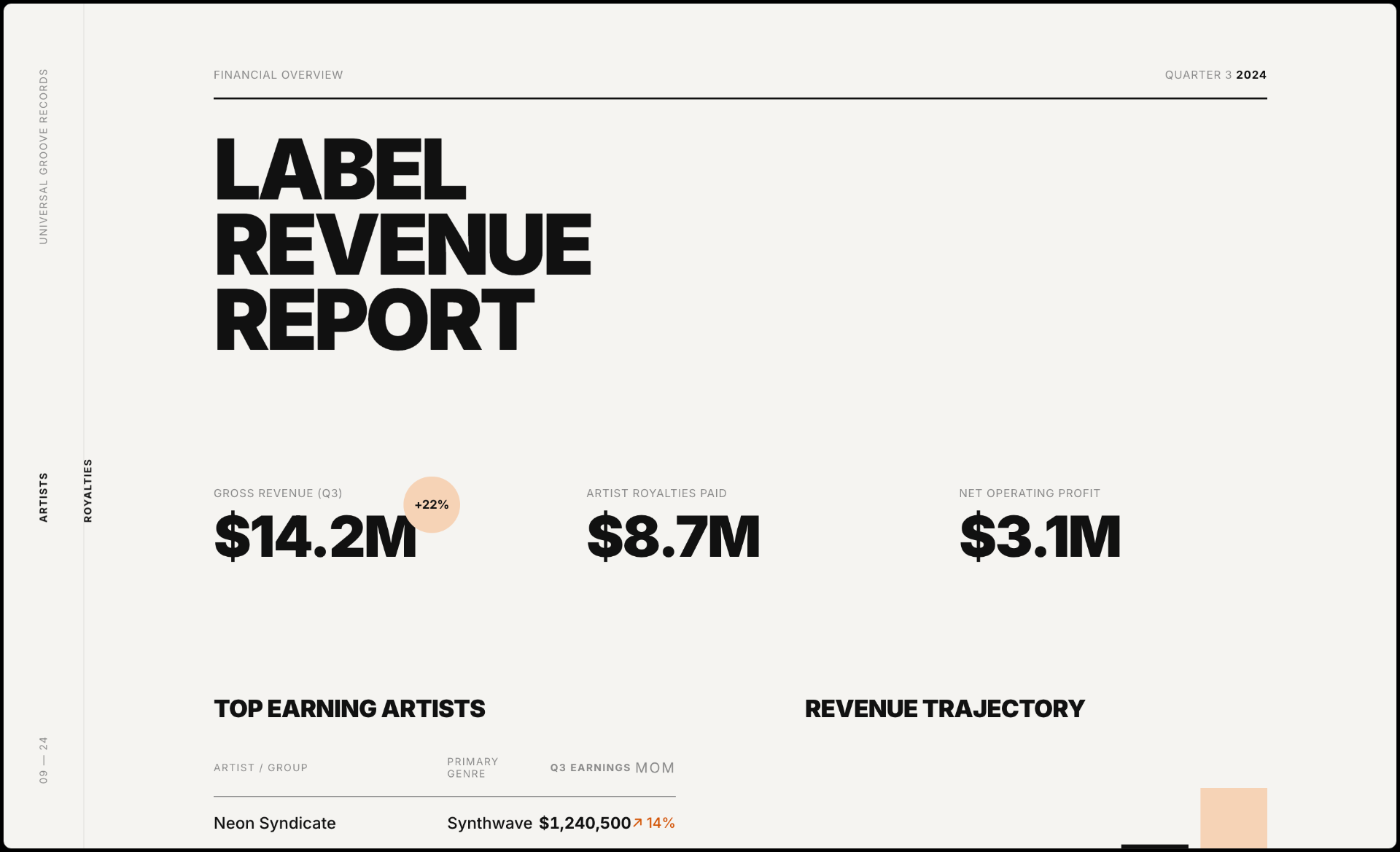
2-қадам: Дэшборд. Мен Variant-тан бастадым — AI дизайн құралы. Бір промпт жаздым — музыкалық лейбл үшін қаржылық есептің толық визуалды орналасуын алдым. Содан кейін Claude көмегімен код жаздым және оны Lovable-ға көшірдім — қосымшаны чат арқылы орналастыруға, хостингтеуге және жетілдіруге болатын платформа. Компонентті түзету керек пе? Өзгерісті сипаттасаңыз жеткілікті. AI мүмкіндігін қосқыңыз келе ме? Ол дайын тұр. Supabase дерекқорына қосылдым — бүкіл визуалды бөлім бір күнде дайын болды.
3-қадам: Ми. Бұл ең қызықты бөлігі болды. Маған дерекқормен сөйлесетін және Telegram-ботты басқаратын API сервері керек еді — бірақ мен сонымен қатар AI көмекшілерінің де сол деректерге тікелей қол жеткізуін қаладым. Сондықтан Claude бүкіл серверді MCP сервері ретінде жазды (Model Context Protocol — AI құралдарына сіздің функцияларыңызды тікелей шақыруға мүмкіндік беретін ашық стандарт). Әрбір қаржылық операция — балансты тексеру, транзакция қосу, есеп алу — бір мезгілде REST эндпоинті және MCP құралы. Мен не қалайтынымды диалогта сипаттадым. Claude код жазды. Мен GitHub репозиторийін қосып, Railway-ге орналастырдым. Әрбір push кезінде автодеплой.
4-қадам: Бот. Компанияның жұмыс чатындағы Telegram-бот. Команданың кез келген мүшесі «осы айда қанша жұмсадық?» деп жазып, екі секундта жауап ала алады. Немесе «маркетингке $50 шығын қос» — ол транзакцияны жазады, растайды, дайын. Ішінде Claude Haiku — жылдам, арзан, орысша да, ағылшынша да түсінеді.
Бүкіл жүйе шамамен бір демалыс күнінде қарқынды жұмыспен жиналды. Бағдарламалау демалысы емес — AI-мен сұхбаттасу, маған не керек екенін сипаттау және нәтижелерді орналастыру демалысы.
Мен не үйрендім
Вайб-кодинг — бұл шындық, бірақ сиқыр емес. Не құрып жатқаныңызды түсіну керек. Мен код жазған жоқпын, бірақ әрбір жобалық шешімді мен қабылдадым — Claude-тың нақтылаушы сұрақтарына жауап бердім, жүйені тұтастыққа тексеруді сұрадым, күрделі таңдауларда шешім матрицасын дәлелдерімен және ұсынысымен сұрадым. AI код жазады және архитектураны ұсынады. Сіз логиканы тексеріп, шешім қабылдайсыз.
Алдымен жүйені жобала, содан кейін құр. Кез келген код жазбас бұрын, мен Claude-дан толық кесте жасауды сұрадым — бизнесіме нақты қажет қойындылар, санаттар, шот құрылымы және формулалар. Мен не керек екенін сипаттадым, Claude құрылымды ұсынды, мен дұрыс болғанша диалогта түзеттім. Сол Excel файлы бәрінің сызбасына айналды. Кодқа көшкенде мен болжап отырған жоқпын — мен бұрыннан түсінген жүйені аударып отырдым. Кодтың бірінші нұсқасы қорғаусыз және валидациясыз болды, бірақ деректер моделі бірінші күннен дұрыс еді. Қауіпсіздікті кейінірек қостым — аутентификация, қол жеткізуді бақылау, аудит — бәрі де AI көмегімен.
Telegram-бот — басты ерекшелік. Дэшборд — әдемі, бірақ мен оны аптасына бір рет ашамын. Ботты күн сайын қолданамын. Жылдам жазбалар, жылдам сұрақтар, контекст ауыстыру жоқ. Бір нәрсе құратын болсаңыз — ботты құрыңыз.
Тосқауылдарсыз болмайды. Валюта айырбастау логикасы екі рет бұзылды. Айырбас бағамын есептеуде нәзік қате бар еді, оны табуға сағаттар кетті. Кейінірек қосқан транзакция түрі айлық жиынтық көрінісімен сәйкес келмеді. AI көмектеседі, бірақ жөндеу — жөндеу болып қала береді. Айырмашылығы — код редакторында емес, диалогта жөндейсіз.
Айына $7 — айына $50-ден жақсы. Әрбір қаржылық SaaS құралы айына $30–100 тұрады және бәрібір маған керегін жасамайды. Менің жеке жүйем бір шыныаяқ кофеден арзанға тұрады және дәл менің қалағанымды жасайды — өйткені мен оны өз бизнесіме арнап жобаладым.
Стек (қайталағыңыз келсе)
Мұның бәрі не екенін білудің қажеті жоқ. Бар екенін білсеңіз жеткілікті.
Supabase — ыңғайлы интерфейсі бар тегін дерекқор. Деректеріңіз осында. Lovable — AI мәтіндік сипаттама бойынша веб-қосымша құрады. Дэшбордыңыз осында. Railway — серверіңізді ~$5/ай-ға хостингтейді. API мен бот осында. Claude — бүкіл кодты жазады, ботты басқарады және MCP арқылы қаржылық талдаушыға айналады. Telegram Bot API — тегін. Жылдам енгізу интерфейсіңіз осында.
Мен әр кезең үшін таза, сығылған промпттар жинағын құрастырдым — нақты жүйені Claude-мен ондаған итеративті диалог арқылы құра жүріп үйренгенімнің негізінде. Менің процесім тәртіпсіз болған жоқ — басынан бастап толық жобалық құжаттама, жүйелік промпттар және құрылымды SDLC болды. Бірақ бұл prompt pack соның бәрін бірден жұмысқа кірісуге болатын деңгейге дейін сығады.
Finance Stack Prompt Pack жүктеу →
Бүгін жасауға болатын бір нәрсе
Claude-ды ашыңыз. Қаржыңызды қазір қалай жүргізетініңізді сипаттаңыз. Өз бизнесіңіз үшін дерекқор схемасын жобалауды сұраңыз — сіздің шоттарыңыз, валюталарыңыз, шығын санаттарыңыз. Әзірше ештеңе құрудың қажеті жоқ. Тек схеманы қараңыз. Бұл — сіздің сызбаңыз.
«Мен есепті кестеде жүргіземін» мен «менде нағыз қаржы жүйесі бар» арасындағы қашықтық сіз ойлағаннан аз. Бұл — бір демалыс күні.
Сіздің кезегіңіз.